
Features
- The adjustable legs of the rifle bipod offer great versatility, from 8 to 11 inches.
- Made from lightweight carbon fiber legs, it strikes an ideal balance between strength and portability.
- Tilt and Swivel function: With the ability to tilt left or right, or swivel on a horizontal rotation, you can track moving targets or adjust your shooting angle easily.
- Quick Release Connector: Compatible with Picatinny, it provides a secure and reliable mounting solution.
- The bipod's compact size and 7-directions of folding capability make it convenient for transportation and storage.
- Anti-slip Rubber feet can be replaced with Spike feet.
Setup
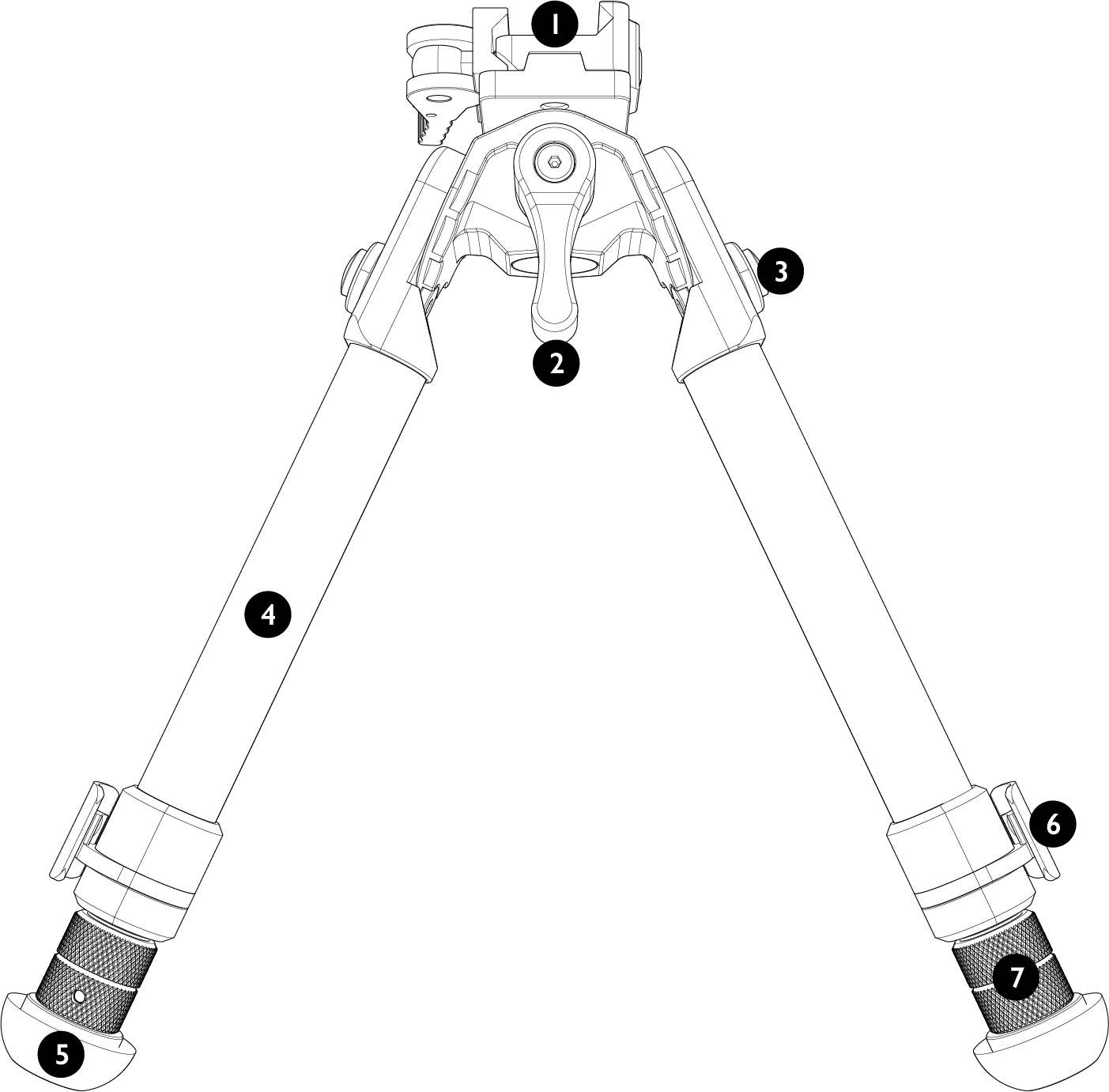
Parts
- Picatinny rail mount adapter
- Position adjustment lever
- Leg position adjustment button
- Carbon fiber leg
- Rubber feet
- Leg release button
- Length adjustable leg
Adjustments
Attaching The Bipod
Your rifle must have either a Weaver/Picatinny, or M-LOK rail on the forearm of the stock. Note, if fitting to an M-LOK rail, the additional M-LOK Adapter (part code #71050) will need to be purchased separately.Quick Release Attachment Lever
- The lever has a lock that must be released before it can move.
- Place the bipod onto a Weaver/Picatinny rail in the desired position.
- Fold the lever back against the base and the catch will lock the lever in place.
Adjusting the quick release lever tension
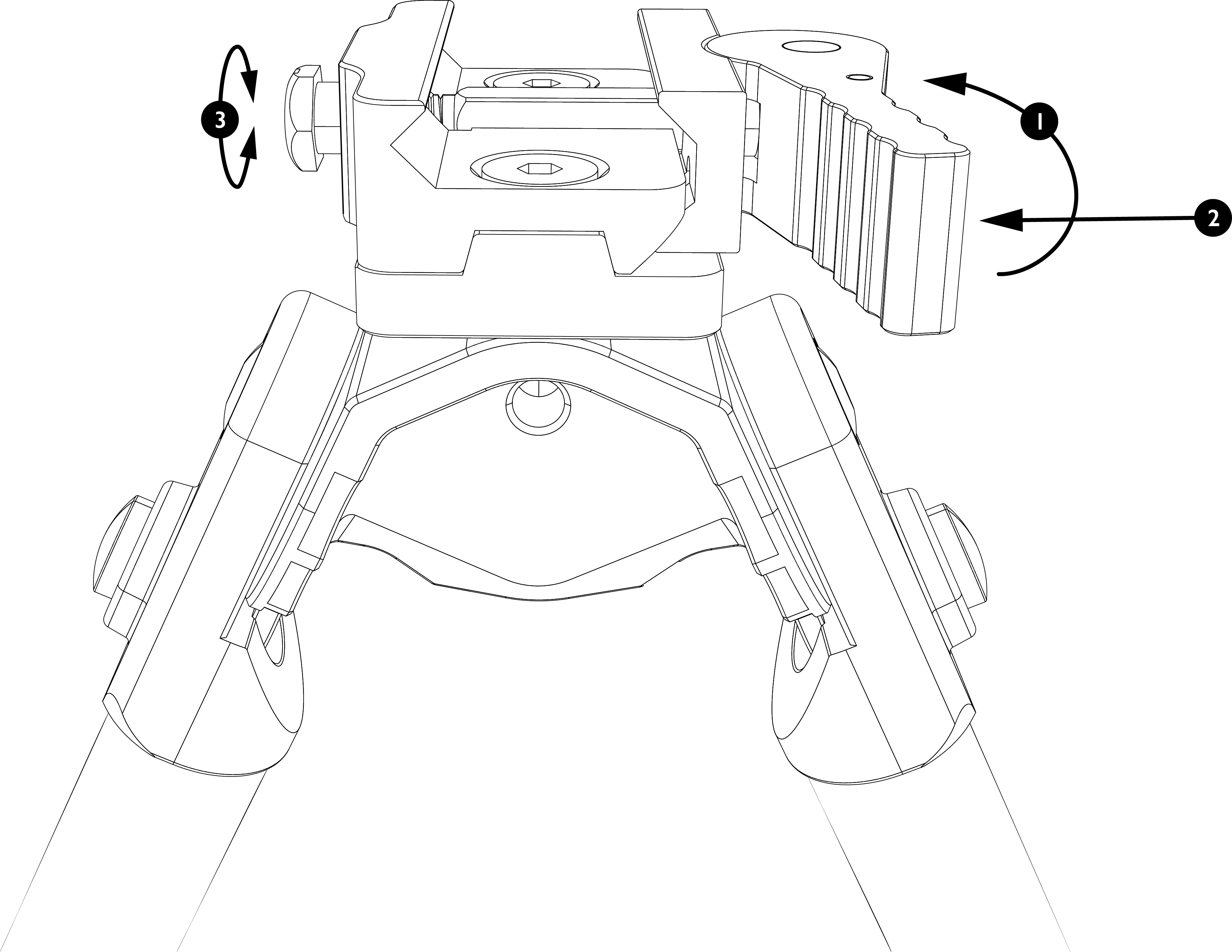
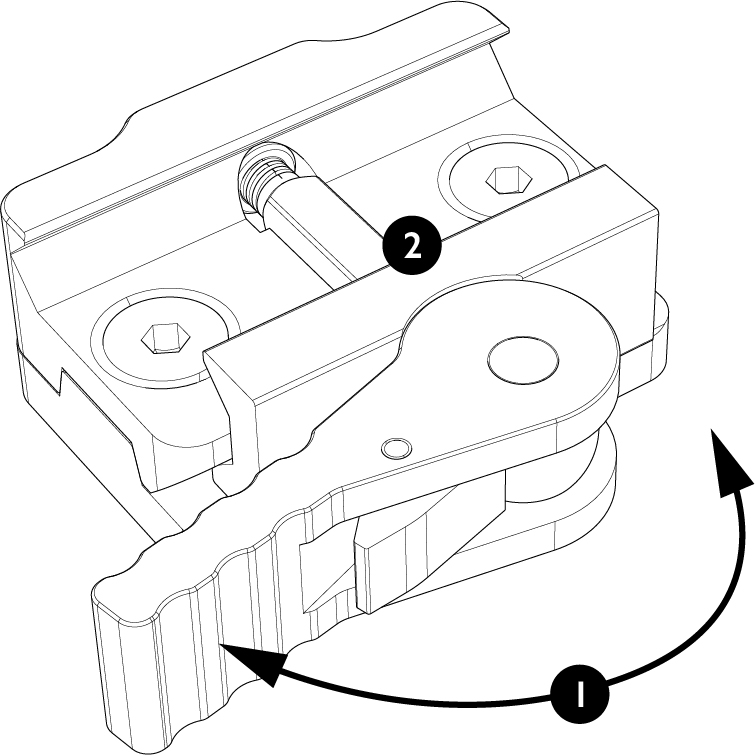
Warning: The quick release lever must be unlocked before the mount tension can be adjusted. No tools are required to unlock the quick release lever or adjust tension.- Unlock the quick release lever by pressing the lock button, and flip the lever open as shown in the illustration.
- Push the quick release lever in towards the mount, exposing the screw on the opposite side.
- Turn the screw to adjust tension. Clockwise for a tighter fit, counter-clockwise for a looser fit.
- Flip the quick release lever to the lock position and test the fitment on your rail. Do not force the quick release lever to lock.
- Repeat steps 1–4 as necessary. Adjust the screw tension in 1/8 turn increments until the sight is held firmly in place, and the quick release lever locks without requiring excessive force.
Interchangeable Feet
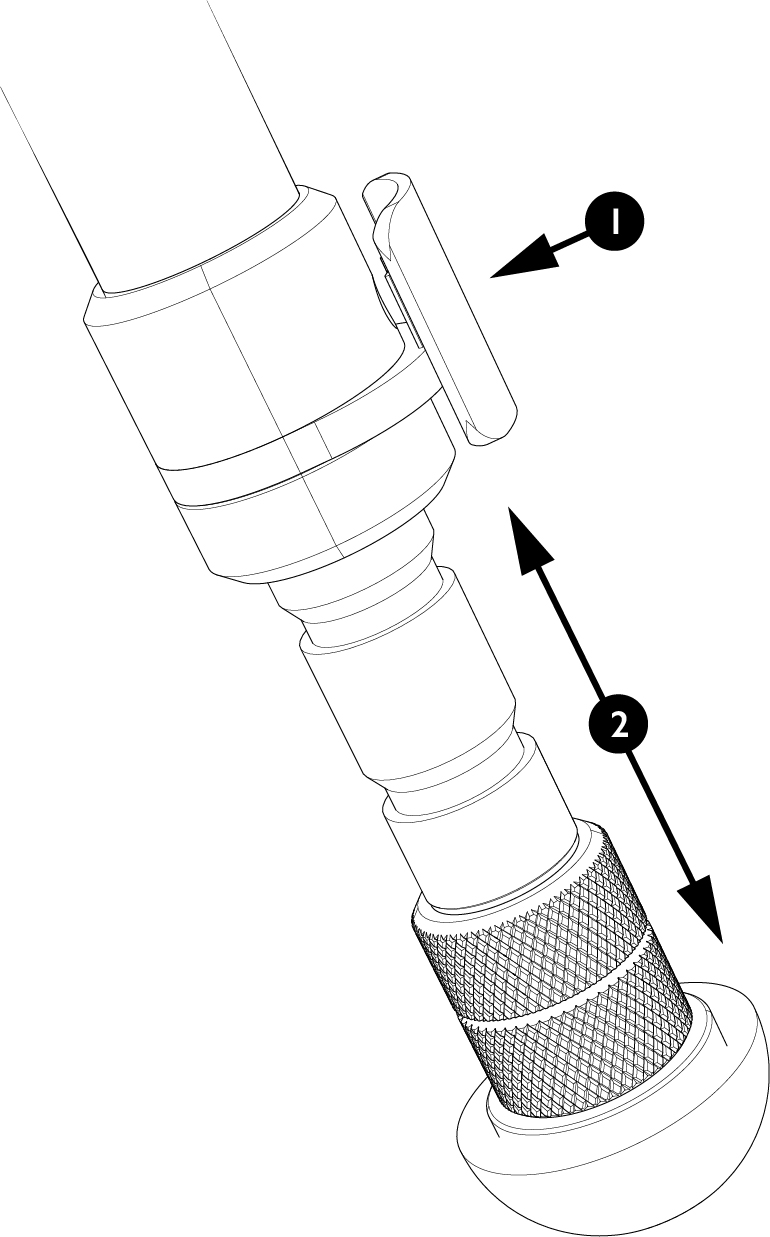
The bipod is supplied with two sets of interchangeable feet - anti-slip rubber feet and spiked feet. To change between the two styles, you must insert a small pointed tool (e.g. a paper-clip, or similar) into the hole located at the bottom of the legs, just above the feet.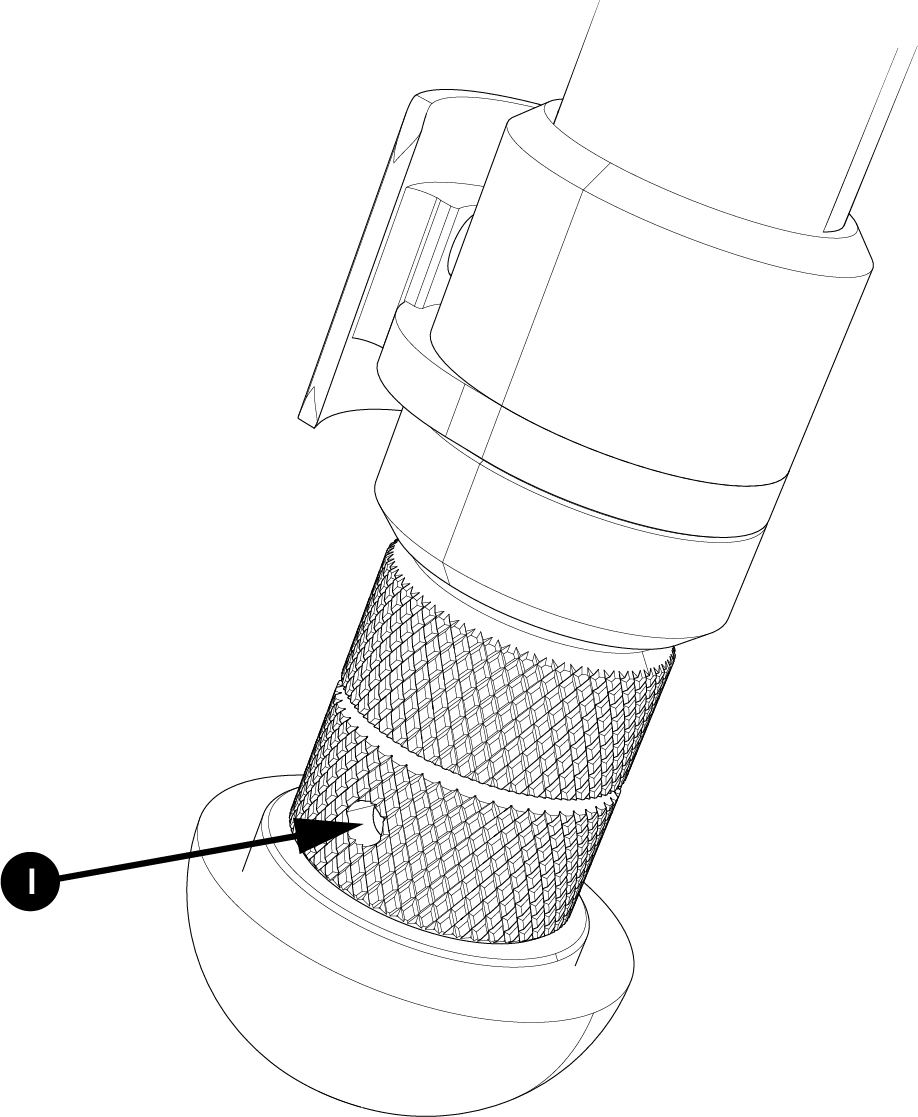
Deploying the Legs & Adjusting Angle
The bipod legs can be adjusted to suit different shooting positions; they are spring loaded and also notched for specific heights.
To extend the legs, simply pull the leg outwards to the desired length. To retract the legs, press and hold the release button and the legs will spring back to their shortest configuration.
Bipod Tilt
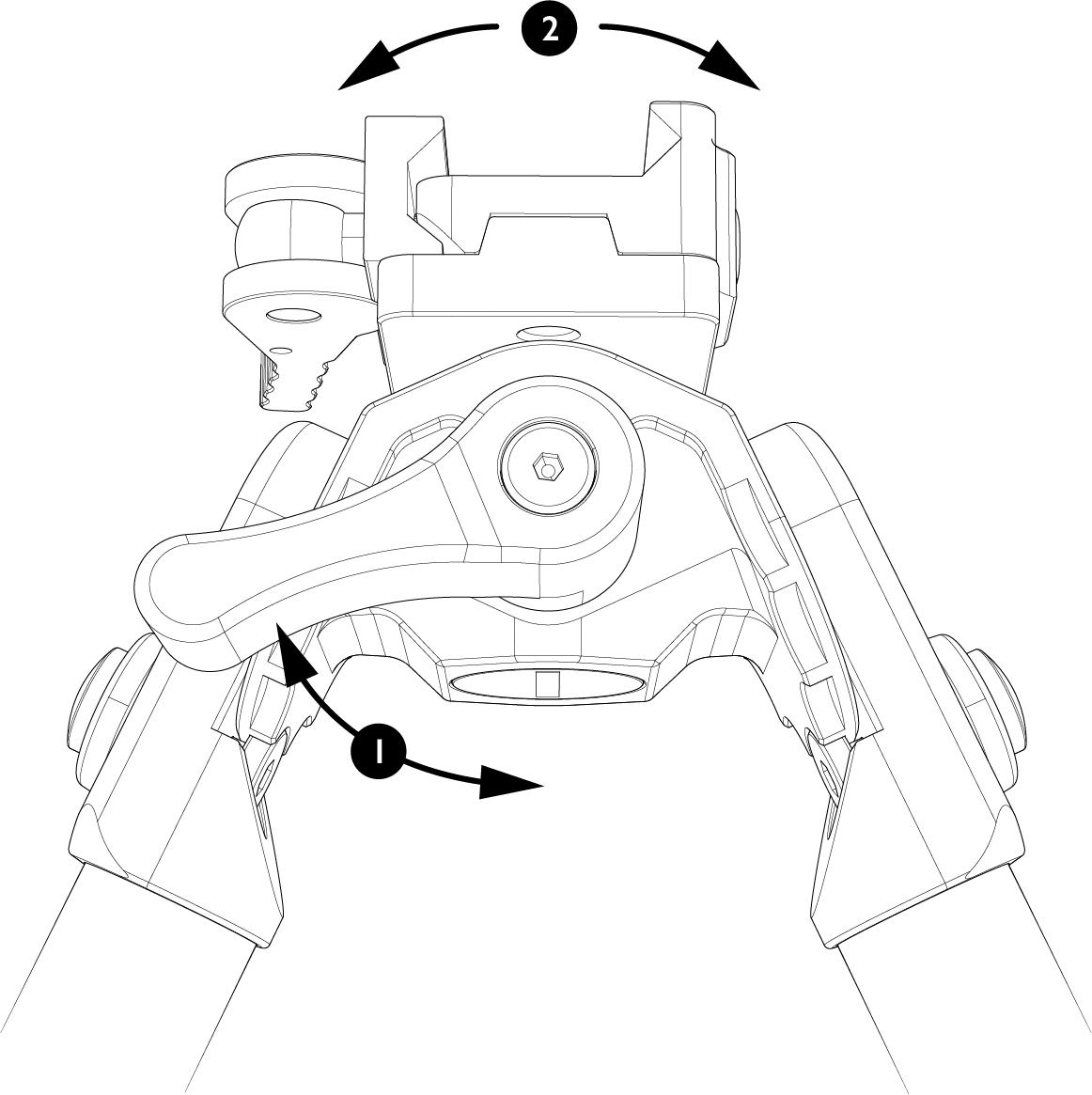
The bipod can be levelled for use on uneven ground. Simply loosen the lever and adjust until the rifle is level. To lock back into position, tighten the lever. The lever can be moved to the desired position using the ratchet feature. Simply pull the lever away from the bipod and rotate into desired position.
Bipod Swivel
The bipod can swivel to adjust the horizontal position for targeting, or to track moving objects. The swivel movement is locked and unlocked by the swivel/tilt lever in the same way as the bipod tilt function.
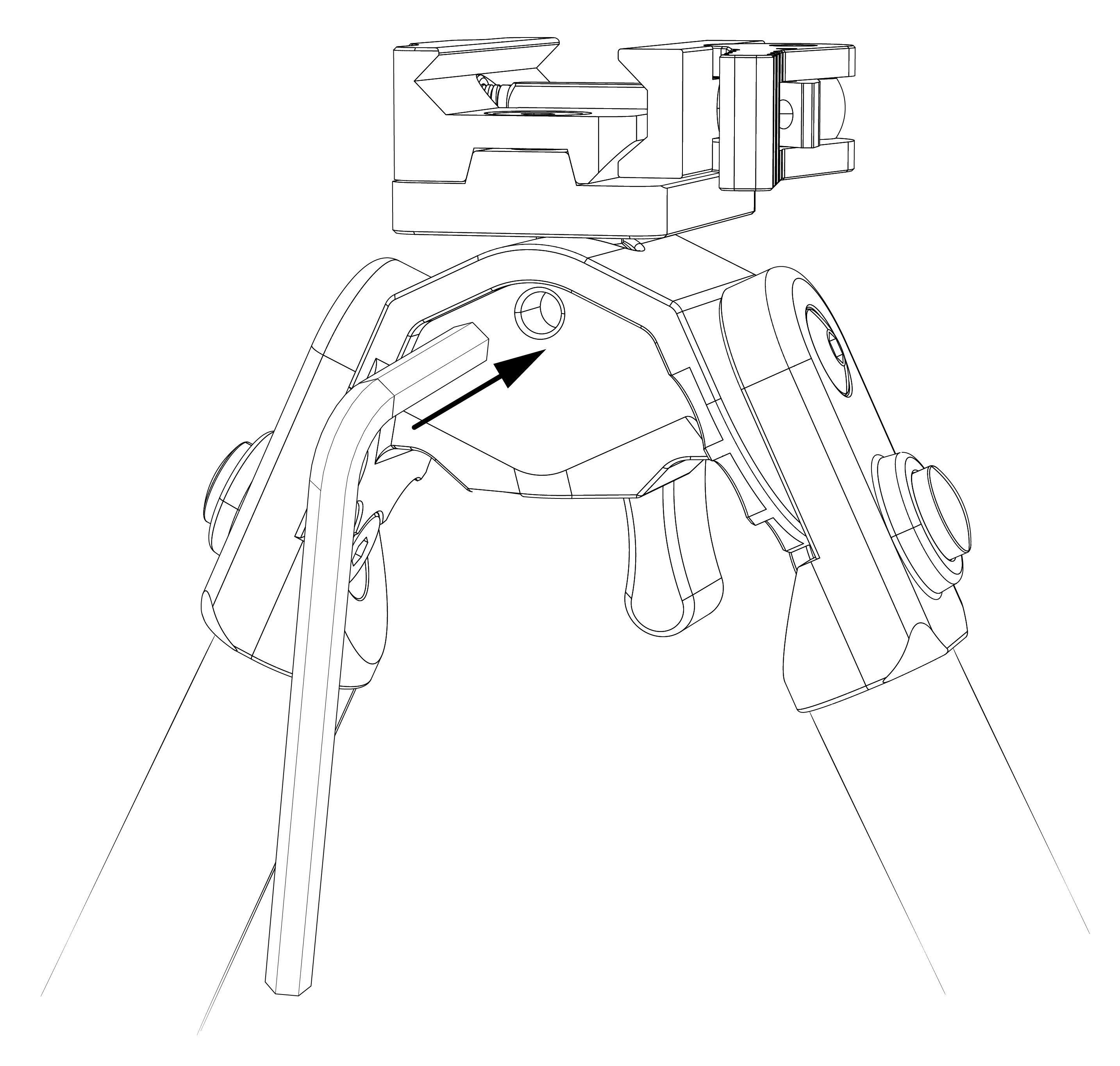
The bipod can be set to have 0, 20, or 360 degree swivel rotation. The available amount of swivel rotation can be set by adjusting the hex set screw, as shown below.
- For 0 degrees of swivel rotation, screw the set screw in fully and back it off half a turn.
- For 20 degrees of swivel rotation, wind the set screw out until it is flush with the panel.
- For full 360 degrees of swivel rotation, unscrew the set screw further until full rotation is possible.